
Tiger365 ID
Older regulars still say Tiger365, and the Tiger Exchange desk answers it like any other request: an ordinary user ID, nothing special attached.
Two details · about 9 min
Nine minutes, give or take, is how long the Tiger Exchange desk usually needs between your first message (name plus mobile) and a reply holding a user ID and a disposable password. Change that password on your first sign-in, fund from Rs 300, and the full Tiger Exchange lobby opens opens under that single ID.
Start the 2-Detail Chat for a User ID Ask the 24x7 Desk About an Existing ID
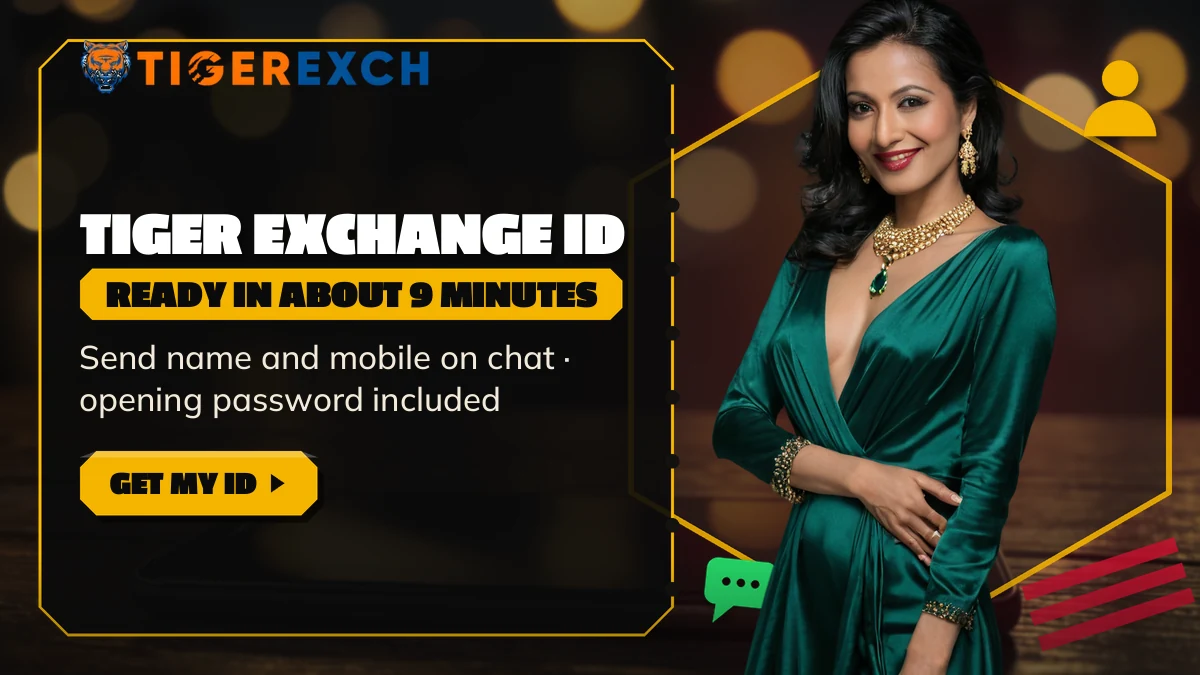
Have these ready before you tap. The Tiger Exchange desk needs nothing more to cut a new Tiger Exchange ID: no email, no document at this stage, no app install. The card only shows what you will send; the button opens the chat where it actually goes.
Tip: give the name that sits on your bank or UPI account. Payouts on Tiger Exchange only go to a same-name account, so matching it now saves a correction later.
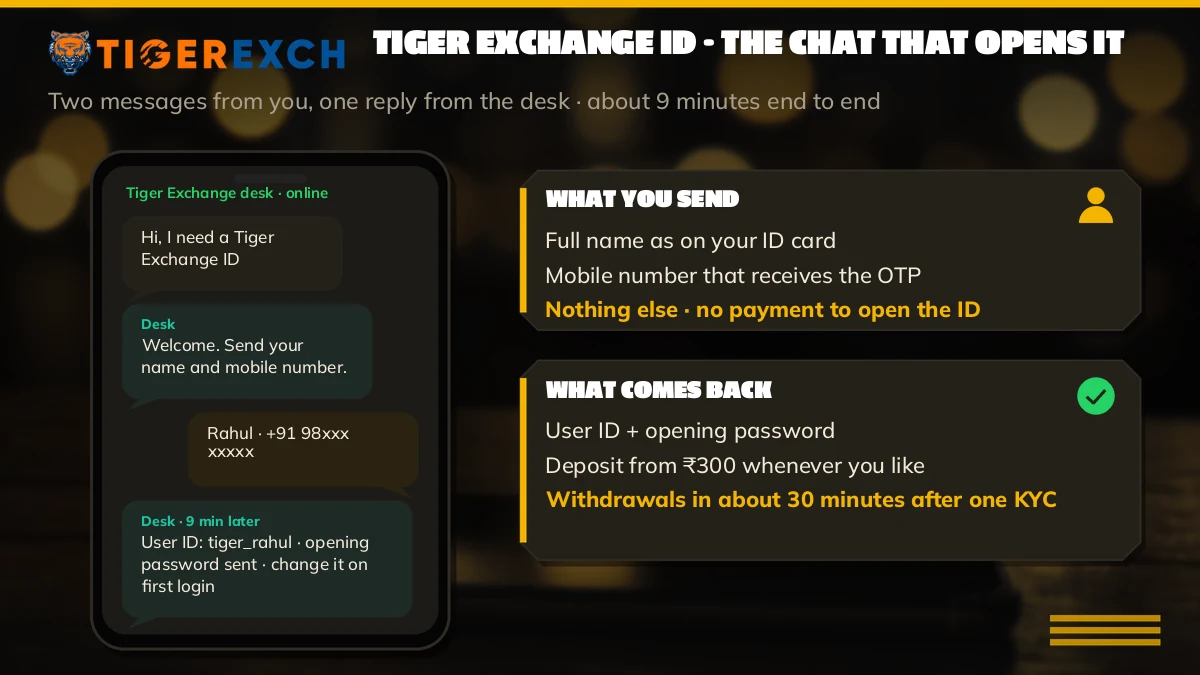
Most people picture a sign-up form. There isn't one. A Tiger Exchange ID made through the desk is a short conversation, and the thread below is a cleaned-up sample of how that conversation usually goes, with the personal bits masked.
Tiger Exchange desk · +91 81097 11726 · sample thread, elapsed time shown
Six messages. That's the whole job, and the waiting sits almost entirely between the third and the fifth, while the account is being created on the Tiger Exchange side. The desk itself is staffed 24x7 and usually picks up a first message in about two minutes; the nine minutes is the account build, not a wait for someone to answer. Nine minutes is the typical gap, not a promise; on a busy evening with a big match about to start it can stretch a little, and late at night it is sometimes quicker.
Two small habits make the nine minutes go smoother. Keep everything in the one thread, because a fresh chat started halfway through means the desk has to match two conversations to one request (and that is exactly the kind of thing that adds minutes). And use a mobile number you will still have next year. The Tiger Exchange desk leans on it later whenever you need a password reset or have forgotten the ID itself, so a borrowed or temporary SIM just creates a problem for future you.
Notice what is missing from that thread. No bank details, no card number, no OTP. The ID step on Tiger Exchange runs on a name and a mobile and nothing else, so anything beyond those two that turns up during the ID chat is not part of this flow, and you can simply decline it.
The reply carries two strings. The first is your user ID, a short mix of letters and digits, and this is what the Tiger Exchange sign-in screen calls the username. The second second is the opening password. That's it: no PIN, no email address, no account number to remember separately.
Retyping is where IDs break. Autocorrect capitalises the first letter, a 0 drifts into an O, a lower-case l passes for a 1, and the Tiger Exchange screen just reports wrong details without saying which character. Long-press, copy, paste. Treat the ID as case-sensitive whether or not it really is.
A lot of the confusion around the phrase Tiger Exchange login ID comes from this. People assume a login ID is something separate, issued later, or tied to the app. It isn't. The ID in the chat is the login ID, the betting ID and the account name all at once, and it works on the website, on the Android build and on every Tiger Exchange address.
Most new accounts work first time. When one doesn't, the cause is nearly always small, and it usually sits in one of these five spots.
Notice that no row on that list ends in a second account. Each one gets fixed inside the existing Tiger Exchange ID, usually in the very thread it came from.
Search engines see four phrases where the desk sees one account. Each phrase below points back at the user ID this page explains, issued on chat in about nine minutes.
Searchers split two ways. Typing tiger exchange id usually means no account yet; typing tiger exchange login id usually means one exists and the sign-in needs sorting. Same destination either way: the Tiger Exchange user ID from the desk is your username, entered with your password and the four-digit code on screen.
Plug either spelling into the chat and nothing changes at the desk's end: a tiger365 id or tigerexch id request comes back as the usual Tiger Exchange user ID on the usual wallet. The table pairs each phrase with what it actually gets you.
| Phrase people type | What it means on this desk |
|---|---|
| tiger exchange id | A new account, issued on chat |
| tiger exchange login id | The same user ID, typed into the Username box |
| tiger365 id | Same account under the Tiger365 name |
| tigerexch id | Same account under the short Tigerexch name |
Whichever name you arrived with, the request is identical: name and mobile, then the ID and an opening password.
Requests reach the desk worded four ways. Tiger Exchange is the full name printed across the site; Tigerexch turns up inside web addresses; Tiger365 is the label older players picked up years back, and a few type Tiger Exch with a space. All four end in one kind of user ID.
Older regulars still say Tiger365, and the Tiger Exchange desk answers it like any other request: an ordinary user ID, nothing special attached.
The short form you see in addresses. A Tigerexch ID signs in wherever a Tiger Exchange ID does, with the same balance behind it.
The full brand name and the one the desk uses in its replies. Whatever you called it in your first message, this is what you end up holding.
Try it once and the point sticks. Sign in on the Android build and in a phone browser with the same user ID, and both show the same balance, the same open bets, the same history. One Tiger Exchange account, several front doors. That is also why a mirror address going dark one evening (betting domains in India get blocked now and then) changes nothing about your ID: the desk points you to a working Tiger Exchange address, and you carry on there. Requesting a fresh ID in that moment only leaves you with two histories and two passwords.
Think of the password in the desk's reply as a key cut for one door, one time. It passed through a chat, so that history still shows it to anybody holding your unlocked phone. Your first Tiger Exchange sign-in should do one job before you even glance at a market: retire it.
Pick something you have never used anywhere else. Ten or more characters, and not your name, your mobile number or the user ID with a couple of digits added. People do that last one more then you would think.
The exact wording of the password option can shift slightly between Tiger Exchange addresses, since the layouts are not all identical. If you cannot spot it in a minute, stop hunting and ask the desk in the thread; they will point at it or reset it for you. Five minutes, maybe less.
Nothing can be backed or laid on a zero balance, so funding comes next. Tiger Exchange takes a first deposit from ₹300 through UPI, IMPS or bank transfer, credited to the one ID whatever device sent it. Payouts are stricter. They only go to a bank or UPI account in the name you gave the desk, and only after KYC; the Tiger365 withdrawal timings page carries the rest.
KYC itself is light. Aadhaar, PAN or a passport, and you must be 18 or older. Do it before your first payout rather than during it; the request moves faster when the papers are already on file.
There are two doors into the same Tiger Exchange account, and both are fine. Which one suits you depends mostly on whether you would rather type or talk.
| Point | ID on chat (this page) | Self-register |
|---|---|---|
| What you give | Full name and mobile | Mobile, a username you choose, a password |
| Check step | None from you; the desk sets it up | OTP to your mobile, valid 10 minutes |
| Time | About 9 minutes | About 60 seconds once the OTP lands |
| Password | Opening password from the desk, change it | Yours from the start |
| Username | Chosen by the desk | Chosen by you |
| Best for | First-timers, anyone who wants a person to check it | People happy with a short form |
The self-serve route is quicker on paper. In practice plenty of people still pick the chat, because a person confirms the account works before they put a rupee in, and any question gets answered in the same breath. If the form is more your style, the Tiger Exchange register ID steps cover the fields and the OTP. Referral codes are optional on that route.
Whichever door you came through, everything after it is shared: the same ₹300 first deposit, the same same-name payout check, the same desk when something goes wrong. A chat-issued Tiger Exchange ID is not second class, and a self-registered one does not skip KYC.
Put the pieces together and a first evening tends to run like this. Times are approximate and depend on the queue, your bank and how quickly you type.
Add it up and most of the clock goes on that nine-minute wait. After it, the slow part is rarely rarely the Tiger Exchange side; more often it is a UPI app asking for a PIN twice or a bank transfer that takes its time to clear.
One person, one ID is the simplest way to run a Tiger Exchange account: one balance, one history, one set of KYC papers. A few habits keep it that way.
That last point sounds fussy. It isn't, really — a shared device at a friend's place during a match is the the most ordinary way an account ends up open on a phone you do not control. A two-minute password change closes it. Beyond that the ID looks after itself; it keeps it's balance and history across every Tiger Exchange address for as long as you use it.

The Tiger Exchange chat desk hands it out. Tiger365 is simply an older label for the brand, so the request runs like any other: you message a name and a mobile number, and back comes a user ID with a throwaway first password. It covers cricket, other sports and the casino rails.
Yes. Players in India aged 18 or over get a Tiger365 cricket ID through the same chat: name plus mobile, then a user ID and opening password in about nine minutes. Cricket sits on the sports exchange beside football, tennis and kabaddi, all on one Tiger Exchange balance.
Open the chat from any button on this page, send your full name and a mobile number, and wait roughly nine minutes. The desk replies with a user ID and an opening password. Sign in, change that password, then add funds from Rs 300 by UPI, IMPS or bank transfer.
Scroll up first. The original reply from the desk still shows the user ID unless that chat was deleted. If it was, write to the desk from the mobile number tied to the account, ask them to resend your Tiger Exchange login ID, and request a password reset as well if that has gone too.
Yes. One Tiger Exchange ID opens cricket and the other sports, the live casino tables, aviator and the QTech slots from a single wallet. The same ID and balance work on every other Tiger Exchange address too, so a blocked domain never means opening a new account.
It is a real, working account. The user ID the desk sends signs in on the live Tiger Exchange site, holds your deposits, and pays out to a same-name bank or UPI account once KYC is done. Changing the opening password on first sign-in makes it yours alone.
Tiger Exchange AppInstall the 34 MB Android build and keep this login. Tiger Exchange APK download